Chapter 1 Video
Chapter Reading
Registering for an Occupational Licensing Account
Start with the DMV Occupational Licensing page for California:
Keep in mind that all Occupational Licensing Offices operate by appointment only, so you cannot walk in without scheduling first.
Due to the recent software updates in October 2022, all text requests are now done online through the online DMV portal.
Each student, once done with the course, will have to register online to start the application process and initiate the appointment for DMV.
You start by going to https://www.dmv.ca.gov/portal/mydmv (Opens in new window).
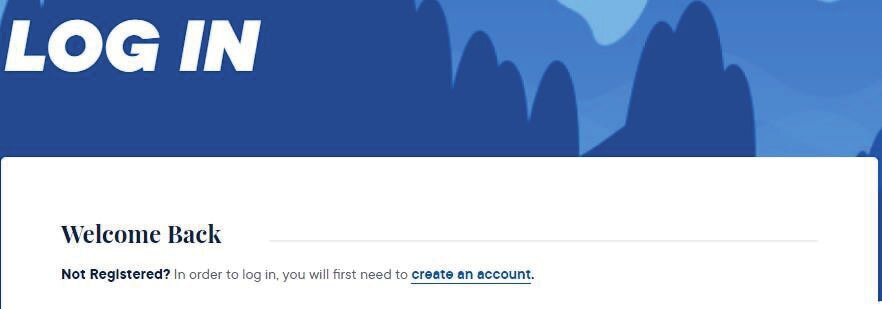
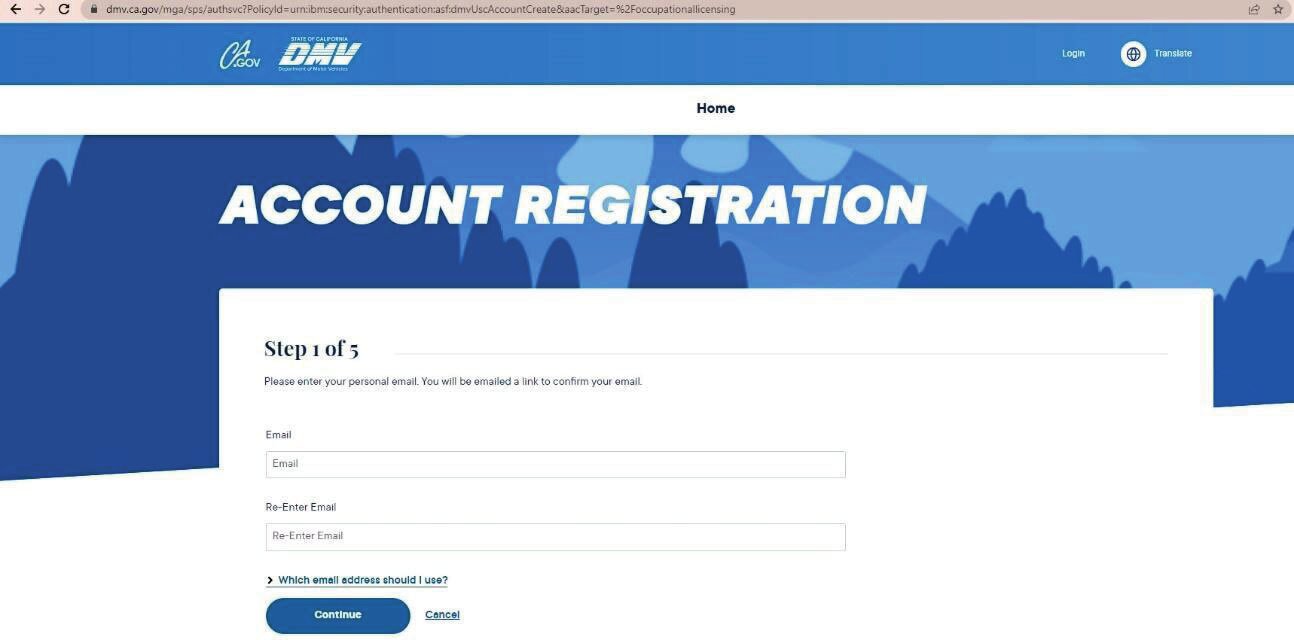
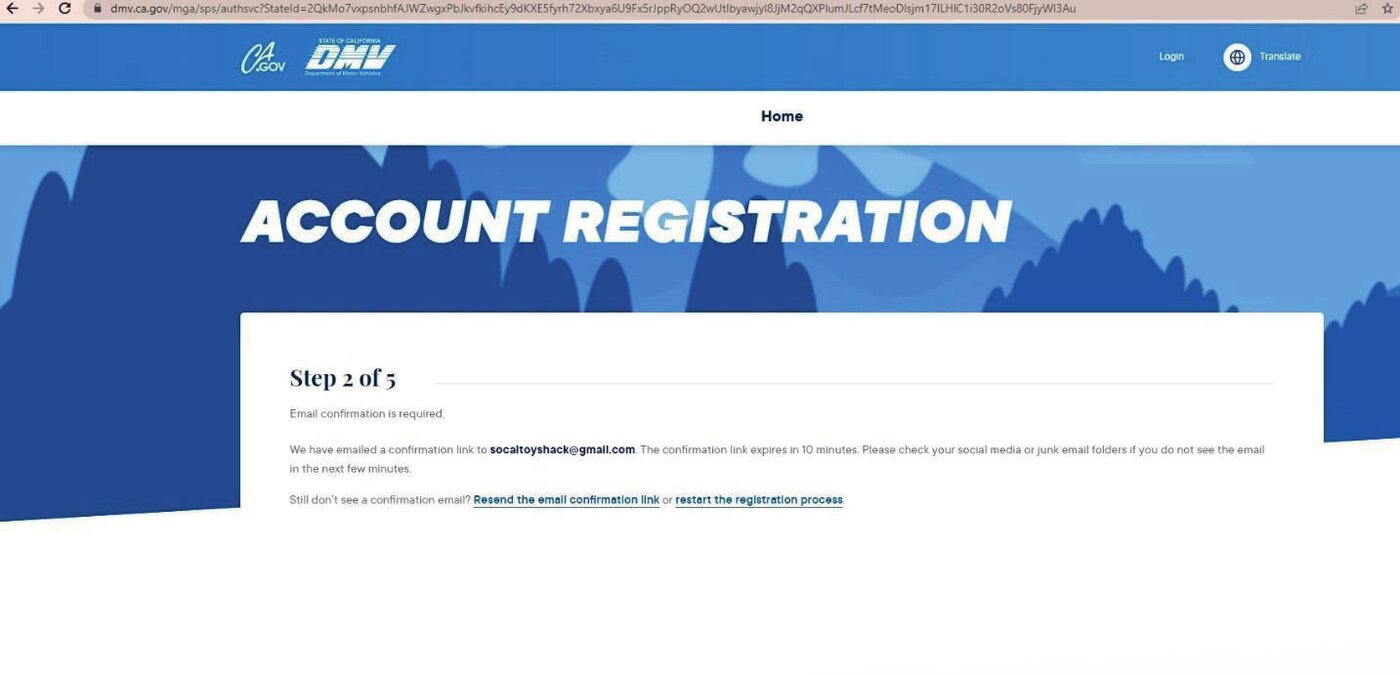
This will prompt a confirmation link that will be emailed to you. It is important that you do that within a 10-minute time period.

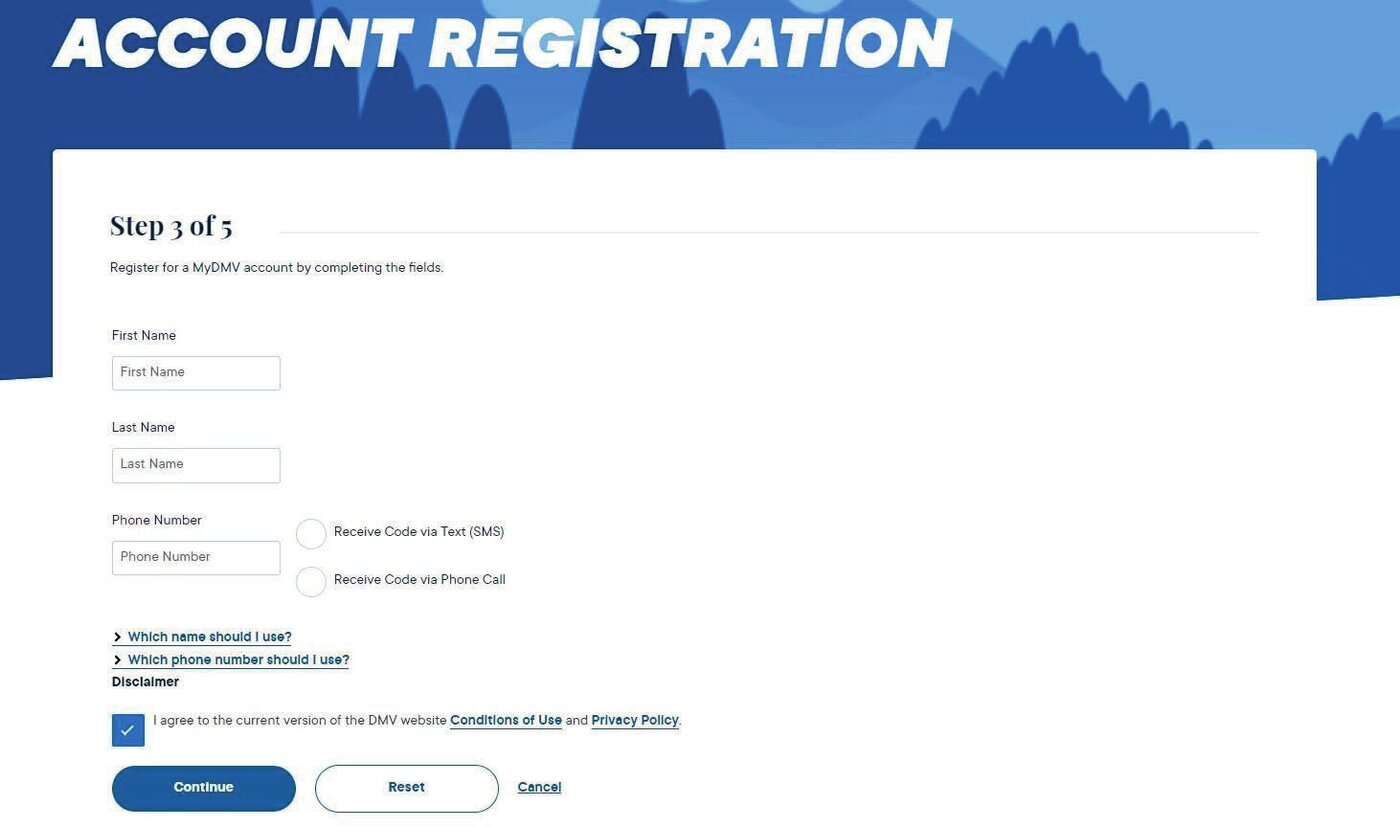
This will take you to a screen where you are able to put in your information as found on your ID or driver’s license. Items like your first name, last name, phone number and allow you the opportunity to review the DMV’s Conditions of Use and Privacy Policy.
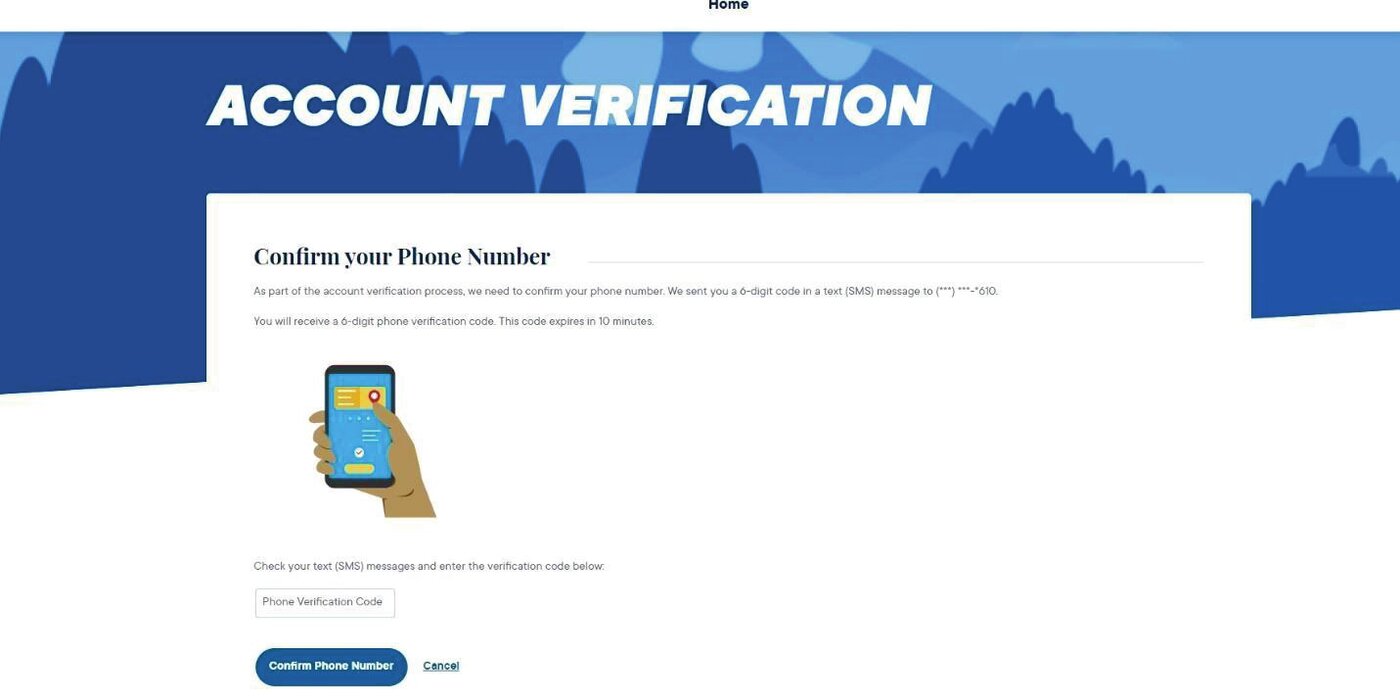
This will prompt a telephone confirmation that you will need to perform. You will get a one-time verification code that will be texted to you to confirm.
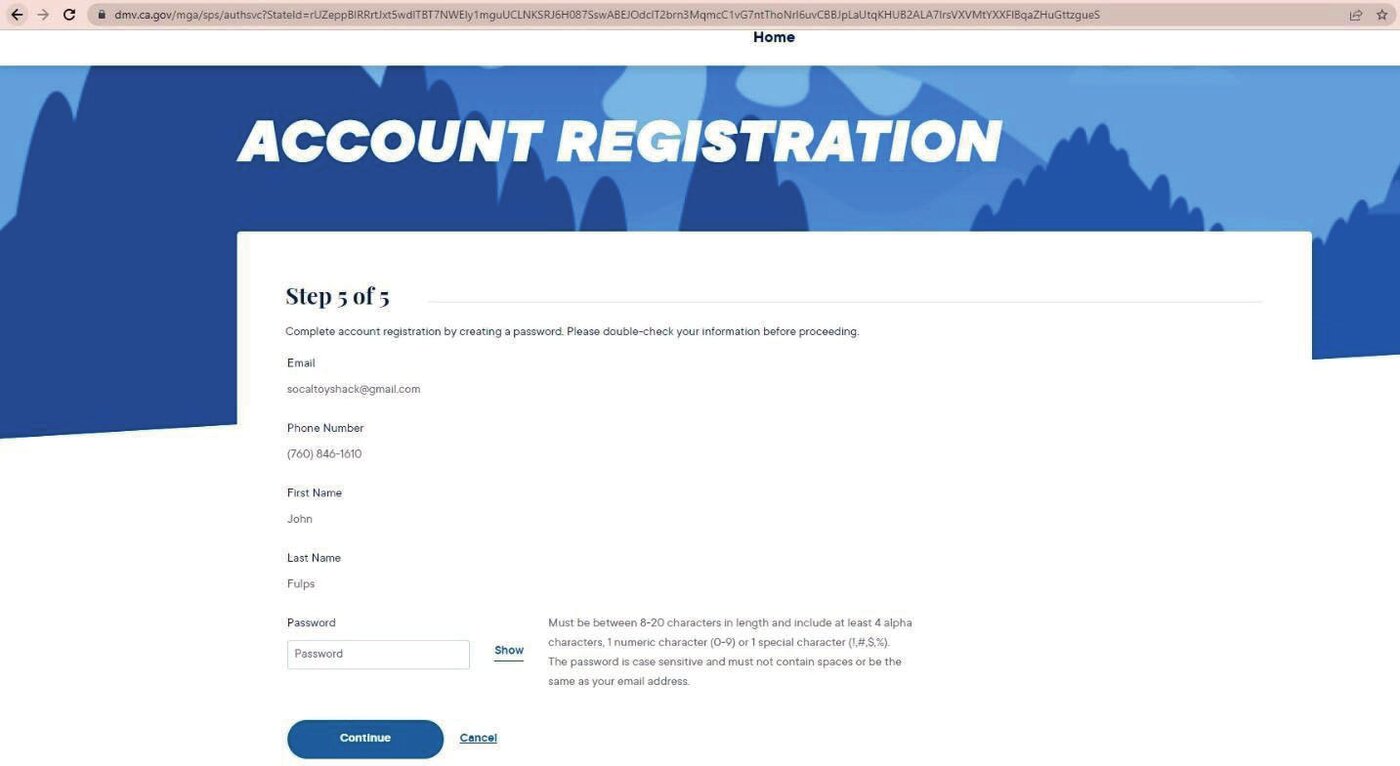
You will then be prompted to create a password that must be between 8–20 characters in length that has at least 4 letters, 1 number and one special character.
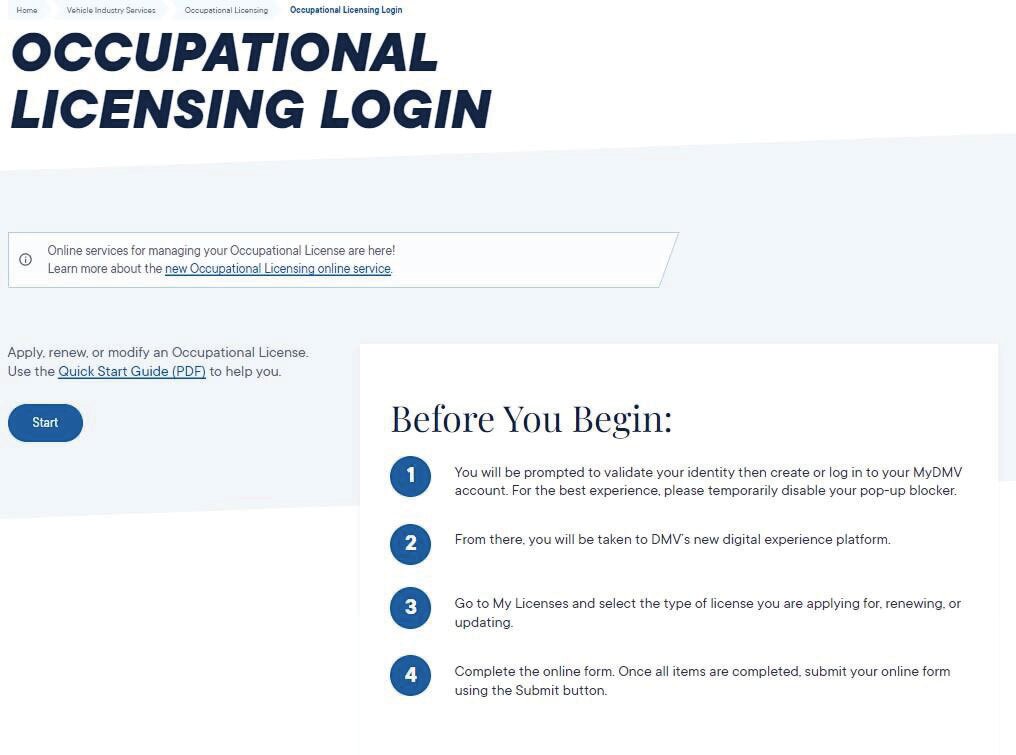
Once this is completed, go to the following link to go directly to the Occupational Licensing Login:
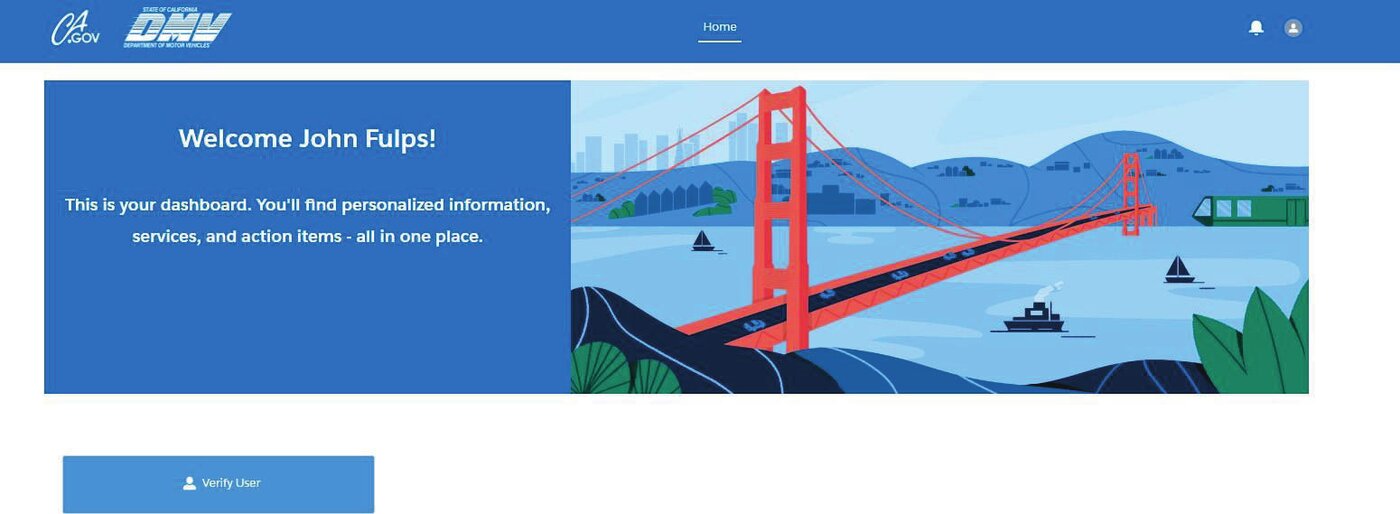
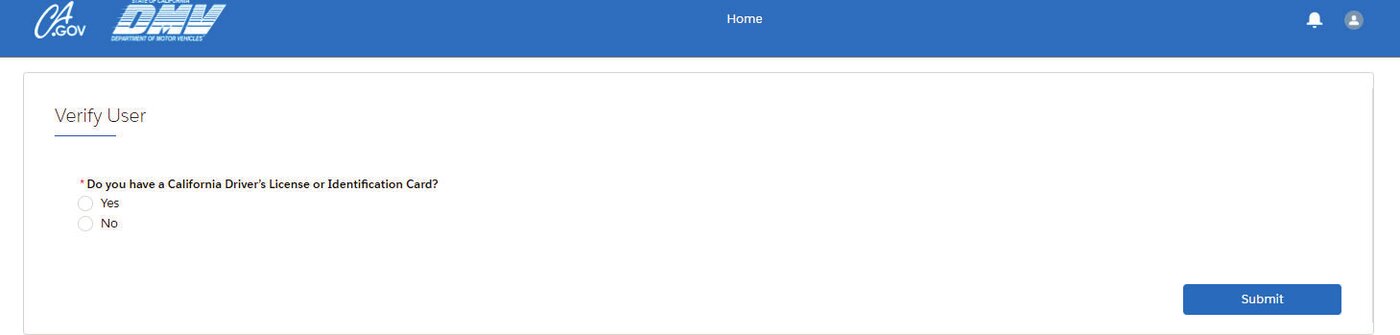
You will then be asked to verify the user on your account and then prompted if you have a California ID/Driver’s license.
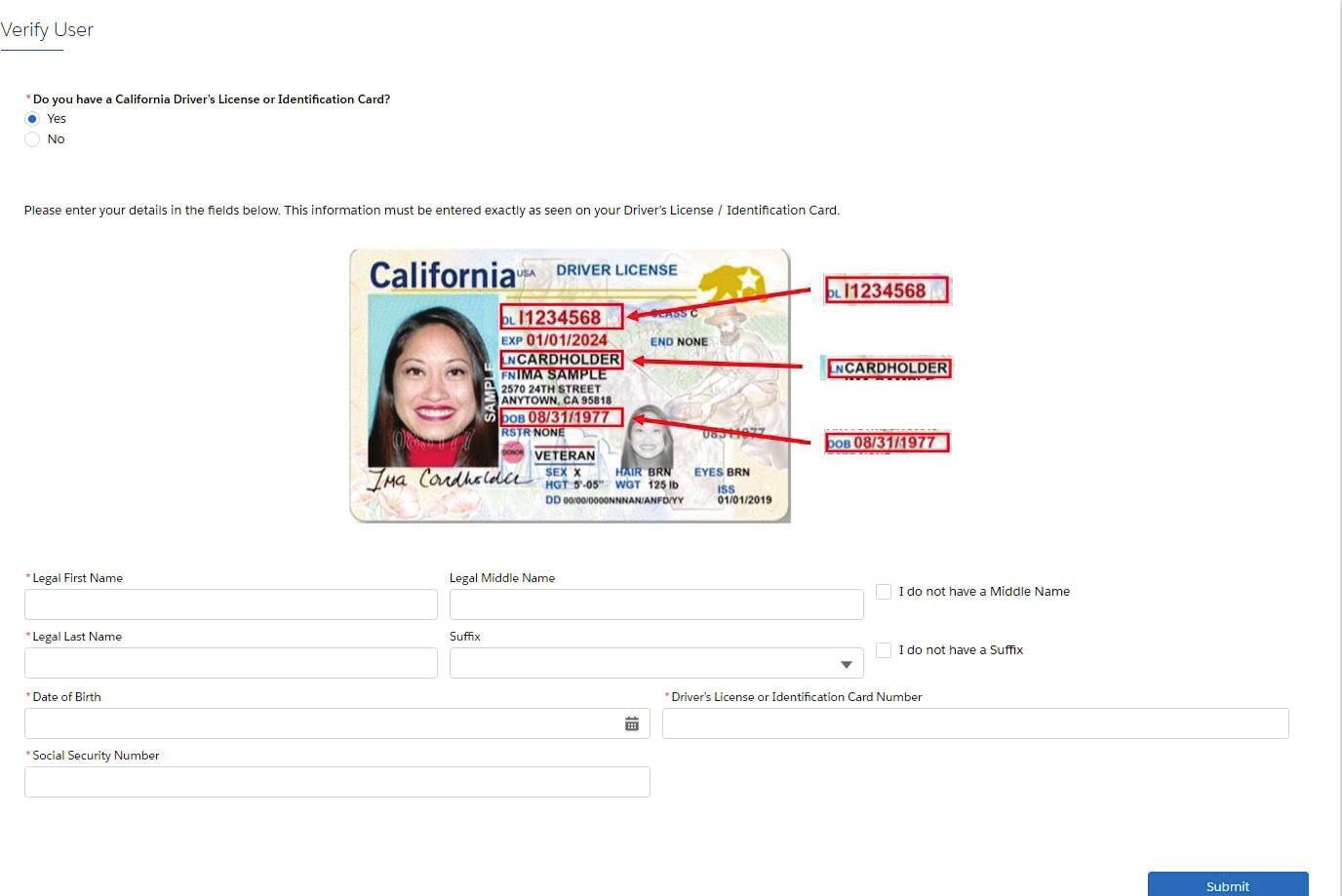
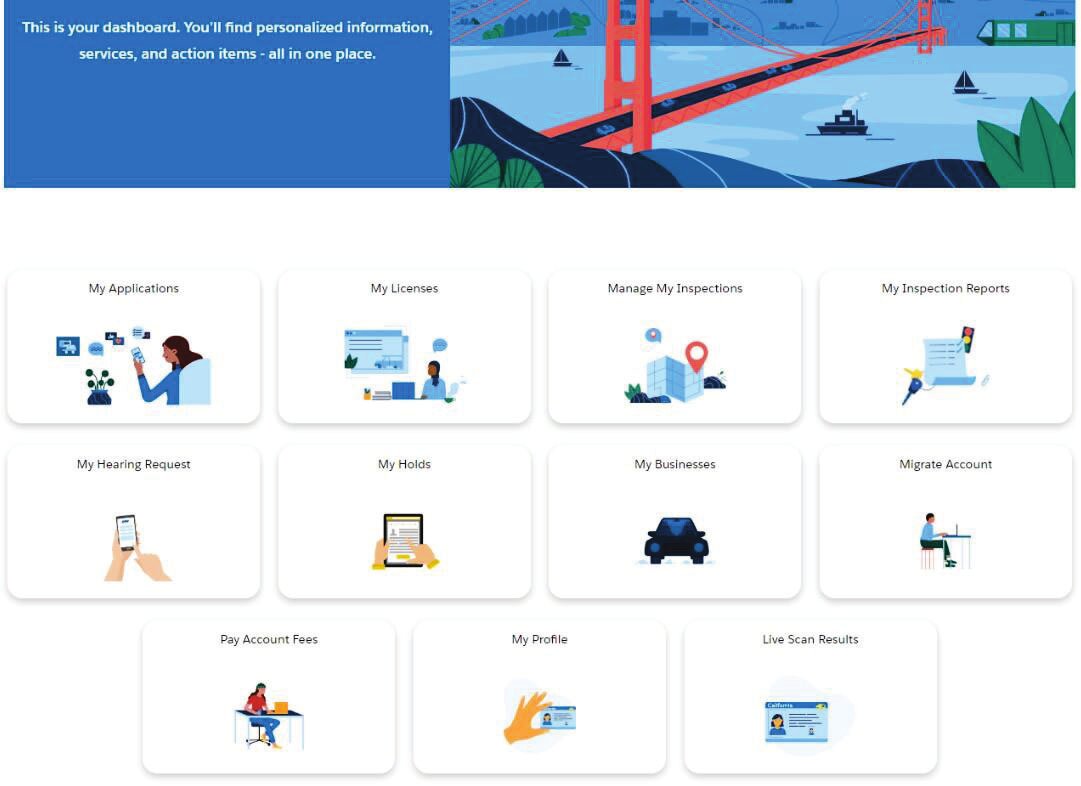
This will get you to the main screen to proceed with all the elements necessary to initiate your test and prompt the initial processing of your application.


- If you decide that you want to initially operate as a sole proprietor that is doing business by a business name, you are potentially opening yourself up to liability.
- If you decide you want to go from a sole proprietor to a corporation or LLC, you’ll have to go out of business and start this entire process from the beginning. Which includes repeating the class.
- If you are a business entity that has formed outside of the state of California and wish to open a California dealership, you will need to file a foreign corporation declaration with the Secretary of State to operate. This will mean that you will be responsible for Franchise State Tax in both California and the state that the entity was originally formed in.
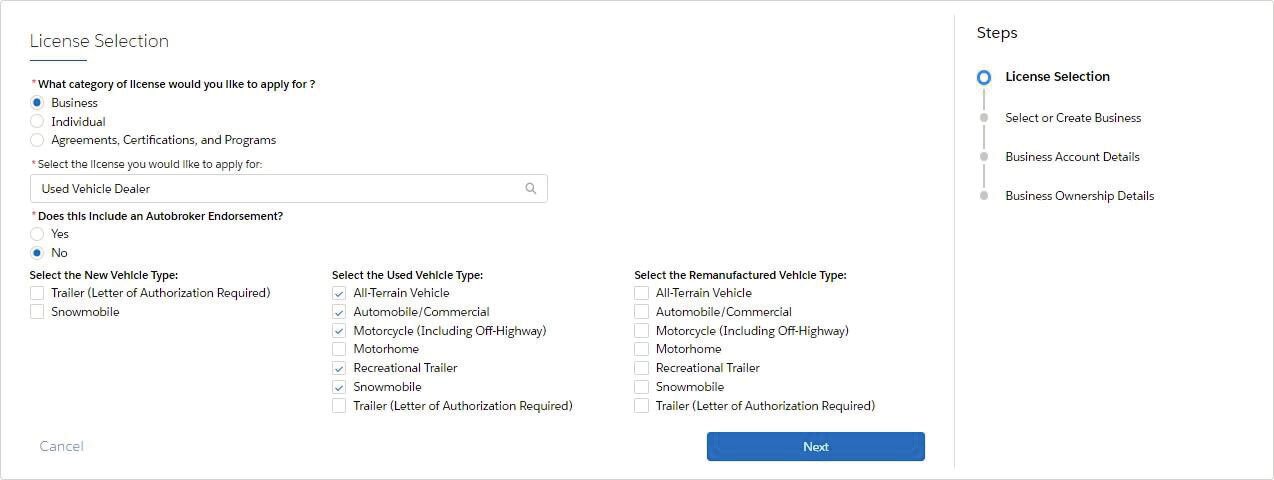
Determine what kind of license you’d like to apply for

You will then select if you’ll be selling any new vehicles. Most common item found will be trailers or snowmobiles that are outside of the traditional auto manufacturers like Ford or Toyota. This happens very rarely. If you don’t have a letter from a manufacturer, please leave these check marks blank.
You will then select the type of vehicles that you are looking to sell. Keep in mind, the DMV will require that you have the proper signage and appropriate space to store vehicles.
Example: If you are operating in a small office with two parking spaces, do not select motorhomes because the DMV will deny and delay the application because a standard parking spot isn’t large enough to hold a motorhome.
The picture below is an example of a retail dealer who has selected all the options for a small office with two parking spots.
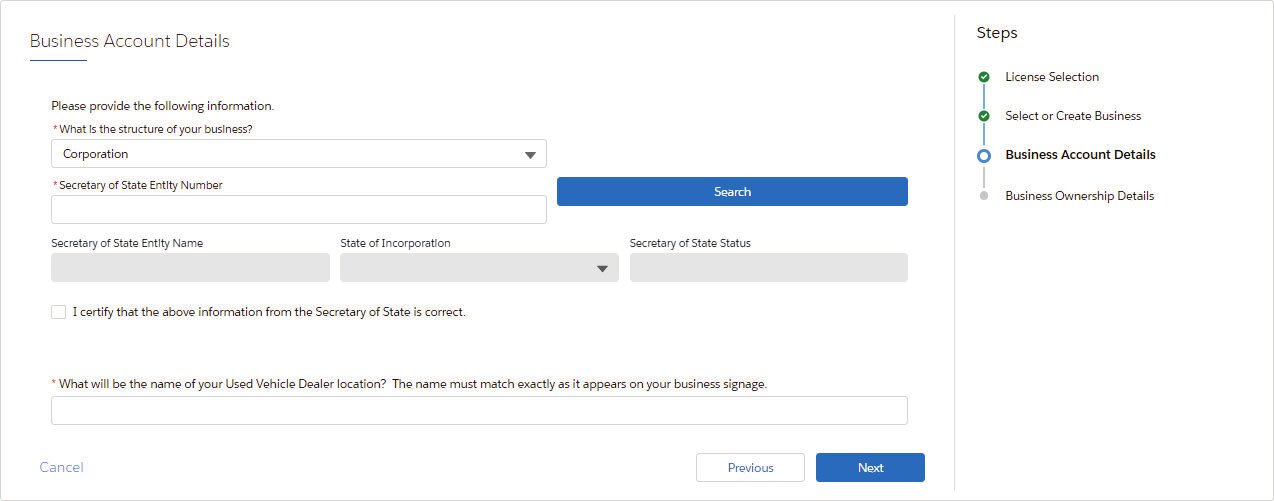
You will then select what the structure of your business is going to be. If you are a corporation or LLC, you will need to enter your information based on what you’ve registered with the Secretary of State.
You then need to indicate what name will be on the signs at your dealership. This can be accomplished in one of two ways:
- If you plan on just using your corporation or LLC name, copy the name exactly as it appears on the Secretary of State’s website. An important element to remember is that the punctuation and spacing need to be exact as well. If there are any discrepancies, there will be further cause of delay.
- If you are operating with a DBA (Doing Business As) or an FBN (Fictitious Business Name), this will have to be filed with the county in which the dealership is doing business.
Important Elements to Remember About a Fictitious Business Name
- If you have an entity registered with the Secretary of State, your FBN application must match exactly with the information that you outlined through your Statement of Information. The county will reject your application if the information doesn’t match.
- Once filed, the processed FBN application must be run through a county newspaper.
Once you’ve indicated all the business information, the system will have you verify all the owner’s information. If you have more than one owner, each owner will have to verify their information separately. If you have officers that aren’t currently participating in the dealership but remain on the ownership structure, this will have to be outlined as well.
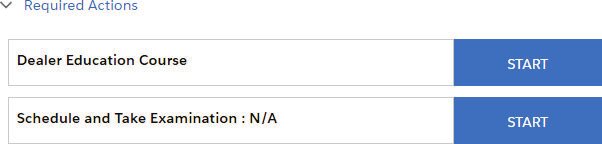
Once you have successfully navigated this, it will prompt you with the application checklist, formally known as the OL 248, which will outline all the information that will be necessary to finalize your application.

The initial portion that must be handled first is the dealer education course, which you are completing now. Once you’ve finalized your class, upload a copy of the certificate directly into the portal.
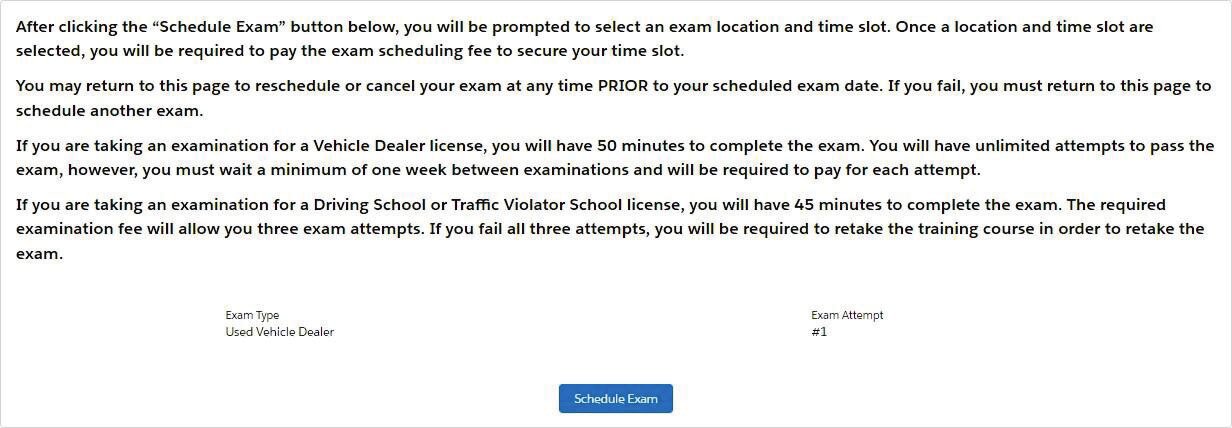
Upload your certificate directly into the portal to be able to schedule your test.
Occupational Licensing Offices and Test Parameters
Here is all the information regarding the various occupational licensing offices and the test parameters.
Exam Offices
The DMV portal currently lists 15 occupational licensing exam offices in California. Most of them are DMV field offices, so the office where you take your exam is often not the same location as the OL inspector office that handles your application.
Once you have finished the class and uploaded your certificate, you select your exam office and schedule your appointment in the portal. Here are the current exam offices:
Bakersfield
5800 District Blvd
Bakersfield, CA 93313
Chico
107 Parmac Road, Suite 1
Chico, CA 95926
Covina
1365 N. Grand Avenue, Suite 102
Covina, CA 91724
El Cerrito
6400 Manila Avenue
El Cerrito, CA 94530
Fairfield
4630 Westamerica Drive, Suite H
Fairfield, CA 94534
Fresno
247 E. Nees Ave
Fresno, CA 93720
Hayward
150 Jackson Street
Hayward, CA 94544
Los Angeles
3615 S Hope Street
Los Angeles, CA 90007
Milpitas
860 Hillview Court, Suite 100
Milpitas, CA 95035
Orange
790 The City Drive, Suite 410
Orange, CA 92868
Riverside
6296 River Crest Drive, Suite A
Riverside, CA 92507
Rocklin
4240 Rocklin Road, Suite 12
Rocklin, CA 95677
San Diego
4375 Derrick Drive
San Diego, CA 92117
San Francisco
395 Oyster Point Blvd., Suite 321B
South San Francisco, CA 94080
Van Nuys
15400 Sherman Way, Suite 100
Van Nuys, CA 91406
This is not legal advice. Our content is for educational and marketing purposes only.